
Starter
Essential tools for operations.
199PLN/month
- Menu management
- KDS
- QR menu
- Table management

TableMind Direct Ordering gives your restaurant its own channel for pickup, takeaway, delivery, and dine-in. Guests order from your menu, website, QR code, or link — while your team manages everything from one connected dashboard.
Marketplaces bring visibility, but they also create dependency. Direct Ordering lets your restaurant accept orders through your own branded flow. Start with your digital menu, enable ordering, connect payments, send orders to the kitchen, and use customer data to bring guests back.
A digital menu lets guests browse. A direct ordering system lets them act — add to cart, choose pickup, takeaway, delivery, or dine-in, pay, and get confirmation.
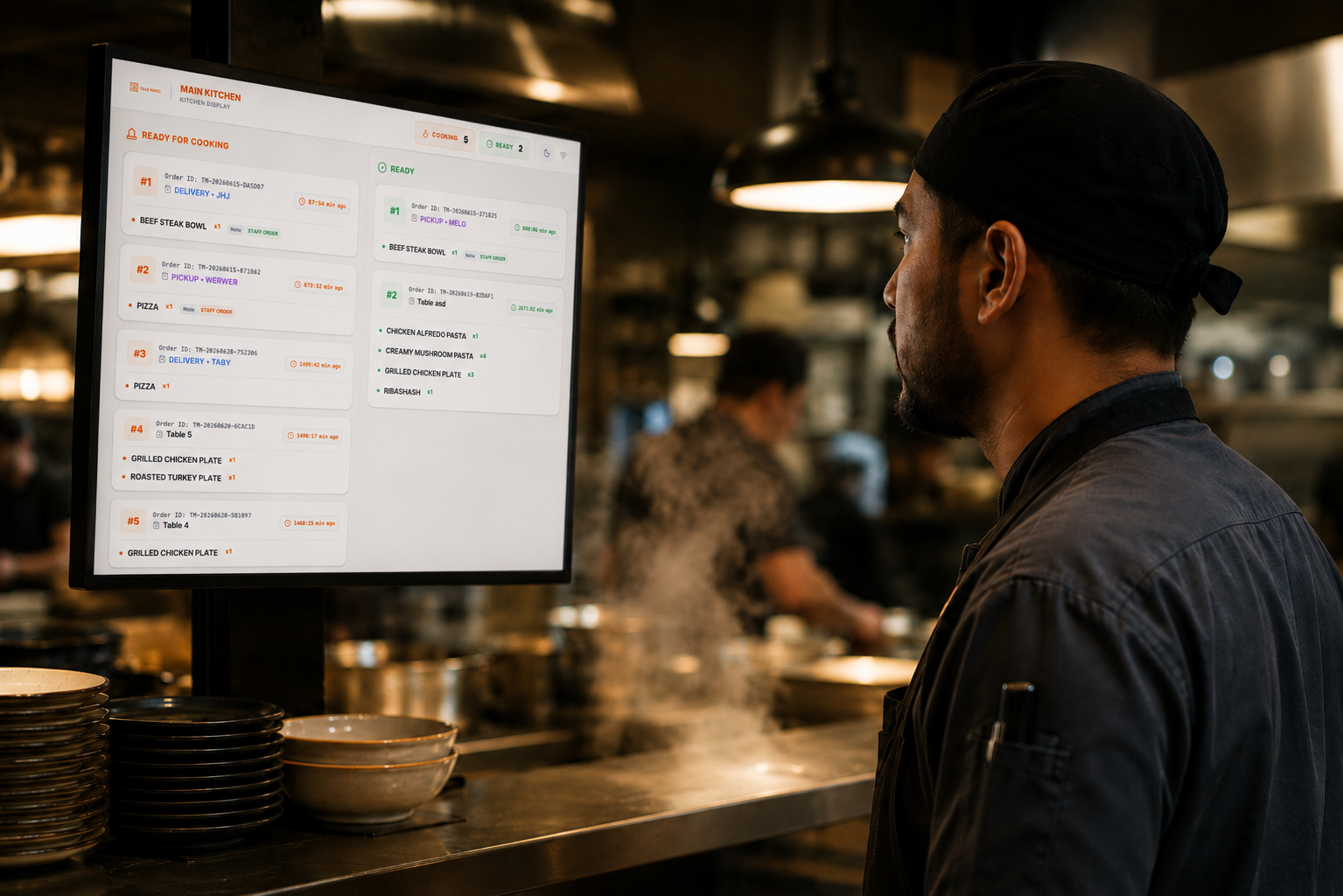
Your team sees the order instantly and manages prep from the dashboard or kitchen display. More control over the guest relationship, more visibility, a better path to repeat business.
A page that feels like your restaurant, not a marketplace listing.
Keep the relationship and customer data, not a third party.
Fewer per-order commissions eating into revenue.
See order behavior and bring guests back.
It lets guests place orders directly with your restaurant instead of relying only on third-party marketplaces.
Guests order from your website, QR menu, social link, Google profile, or branded ordering page — the order goes to you. With TableMind it connects to your menu, payments, kitchen display, delivery, CRM, loyalty, and analytics.
They bring reach, but restaurants often want more control over margins, relationships, and repeat orders.
If a guest searches for you or follows you on social media, they should be able to order directly from you.
Direct ordering helps you build your own guest database instead of losing the relationship to third-party channels.
Your ordering page should feel like your restaurant — not a generic marketplace listing.
Orders shouldn't sit in disconnected inboxes — they should connect to availability, kitchen display, payments, records, and analytics.
Reduce marketplace dependency, improve margins, and keep a closer relationship with guests.
Front-of-house and kitchen get clear orders with notes, modifiers, and status — manual and digital in one workflow.
Order directly from the restaurant — no searching through marketplace apps to find the place they already love.

Adds direct ordering links to website and social media so guests order directly without marketplace commissions.

Guests customize sizes, toppings, or choose half-and-half compositions. Kitchen gets exact details.

Customers order coffee & bagels during their commute. Morning rush runs faster, lines disappear.

Guests order room service from table QR codes assigned to specific rooms. Kitchen prep stays clean.

Launch own ordering page and connect with courier networks, steering majority of volume direct.

Creates a unified ordering process across all locations with central reporting and control.
Explore the capabilities built into TableMind Direct Ordering, organized by operational themes.
Give guests a simple, aesthetic ordering flow under your brand — for pickup, takeaway, delivery, or dine-in.
An ordering website styled with your restaurant's logo, colors, and identity.
Items in your digital menu become instantly orderable for guests.
Accept direct customer collection orders at your counter.
Let guests order ahead to go via a modern digital channel.
Manage delivery zones, delivery fees, and courier rules.
Table QR codes let guests order and pay directly from their table.
Guests can place orders for immediate preparation or schedule them for later.
Clear prompt asking guests to select pickup, delivery, or table before ordering.
Support item sizes, custom options, extras, and preparation notes.
Manage orders seamlessly. Keep your team updated and send tickets directly to kitchen displays.
Visual and audio alerts in the dashboard so staff never miss a new order.
Track ordering states from new, accepted, cooking, to ready/delivered.
Direct orders sync automatically with the Kitchen Display System queues.
Waiters track order status and table orders right from their mobile phones.
Temporarily slow down or pause incoming online orders during peak kitchen rushes.
Draw precise delivery radius maps to ensure profitable operations.
Set threshold amounts to protect margins on deliveries.
Build loyalty, increase repeat orders, boost basket values, and run campaigns from customer data.
Smart recommendations for drinks, sides, or desserts right before guest checkout.
Configure discount codes and campaign promotions to drive direct channels.
Apple Pay, Google Pay, card payments, and pay-on-delivery options.
Collect emails, phone numbers, preferences, and order history legally.
Sync order history with customer profiles for email newsletters.
Reward returning guests with points, stamp cards, or cashback.
Monitor basket values, conversion rates, and channel performance.
Add ordering URLs to Instagram, Google profile, and prints.
Compare direct sales revenue against third-party marketplace costs.
Let guests order directly from your restaurant instead of sending every order through third-party platforms — your brand, your guests, your margin.
Support different service types from one ordering system — turn on what fits your restaurant.
Collect at the counter
Order ahead to go
Zones & courier sync
From table QR codes
Recommend sides, drinks, desserts, upgrades, or popular items before checkout — no manual upselling on every order.
Send direct orders to your dashboard, waiter app, or kitchen display so staff can act quickly.
Direct orders help you understand guests, track repeat ordering behaviors, surface popular items, and turn one-time visits into lifetime regulars.
Your menu becomes the foundation for direct ordering.
Let guests pay from their phone after ordering.
Send orders directly to the kitchen screen.
Manage off-premise orders more clearly.
Build customer profiles from direct orders.
Reward repeat guests and bring them back.
Track revenue, orders, bestsellers, and channels.
Compare direct orders with external marketplace orders.
Your menu becomes the foundation for direct ordering.
Let guests pay from their phone after ordering.
Send orders directly to the kitchen screen.
Manage off-premise orders more clearly.
Build customer profiles from direct orders.
Reward repeat guests and bring them back.
Track revenue, orders, bestsellers, and channels.
Compare direct orders with external marketplace orders.
Add direct ordering channels to your existing TableMind menu when you are ready to sell online.
Essential tools for operations.
Growth and online features.
Enterprise automation.
Custom pricing
It lets guests place orders directly with your restaurant through your website, QR menu, ordering link, or app — instead of relying only on third-party marketplaces.
Yes. You can add your TableMind direct ordering link to your current website or set up a dedicated ordering page that links back to your domain.
Yes. Table QR codes can open your digital menu with direct table ordering enabled, letting guests scan, customize items, and place their order from their seat.
Yes. Direct ordering supports both pickup and takeaway service modes, letting guests pre-order, select their pickup slot, and pay online.
Yes. Delivery can be configured with custom delivery zones, delivery fees, and estimated prep/travel times depending on your courier setup.
Yes. Direct ordering supports dine-in QR ordering where guests place orders directly to their table, linking back to the waiter app and kitchen displays.
Yes. Modifiers, toppings, extra options, and preparation sizes are fully customizable, helping you upsell extras on every item.
Yes. When direct ordering is connected to the Kitchen Display System (KDS), orders appear instantly on kitchen monitors to keep prep organized.
Yes. Support online payments using credit cards, Apple Pay, Google Pay, or let guests choose to pay in-person upon pickup/delivery.
Yes. A toggle in your TableMind dashboard lets you activate 'Busy Mode' or pause incoming online orders during peak kitchen rushes.
Yes. Direct orders capture guest data, automatically sync to your CRM, and connect with loyalty programs to reward repeat customers.
Yes. TableMind direct ordering doesn't require replacing delivery apps — it creates an additional commission-free direct sales channel that you fully own.
Turn your digital menu into your own ordering channel for pickup, takeaway, delivery, and dine-in. Setup is instant.