
Starter
Essential tools for operations.
199PLN/month
- Menu management
- KDS
- QR menu
- Table management

TableMind Delivery & Takeaway Hub manages pickup, takeaway, and delivery without scattered notes or missed handoffs. Accept direct orders, prepare them on time, route them to the kitchen, and keep your team aligned from received to completed.
Takeaway and delivery grow revenue, but they add pressure. Orders arrive from different places, customers expect accurate timing, couriers wait at the counter, and the kitchen juggles dine-in and off-premise at once. TableMind gives your restaurant one cleaner flow: received, prepared, ready, picked up, handed off, and tracked.
Dine-in orders stay inside your venue. Delivery and takeaway move through more steps — placement, preparation, packaging, timing, courier pickup, and handoff. That is why off-premise orders need their own workflow.
The Hub gives your team a shared view of every order outside the dining room: what is new, preparing, ready, needs pickup, and already completed — kitchen, counter, shelf, and handoff connected.
Pickup, takeaway, and delivery in a single queue.
Pickup times keep food fresh, not early or late.
No duplicate pickups or confusion at the counter.
See which off-premise channels actually pay off.
A central workflow for managing orders that are not served at the table — pickup, takeaway, direct delivery, scheduled orders, and courier handoff.
With TableMind it connects to your Digital Menu, Direct Ordering, Kitchen Display, payments, customer records, loyalty, and analytics — ready for future marketplace orders too.
Food ready too early loses quality; ready too late means guests and couriers wait.
The kitchen needs to know what is for tables, what is for pickup, and what is for delivery.
Counter staff need to know which order is ready, who collects it, and whether it has already gone out.
Pickup names, phone numbers, order notes, delivery instructions, and scheduled times need to stay visible.
Understand how much revenue comes from pickup, takeaway, delivery, direct, and future marketplaces.
Grow off-premise sales and reduce dependence on disconnected channels.
Monitor prep status, handoff flow, channel performance, and rush periods.
See which orders are ready, who is collecting, and what still needs packing.
Prepare pickup and delivery orders with clear timing and order-type labels.
Understand handoff status, customer instructions, and delivery timing.
Order before arrival, avoid waiting, and collect food more easily.
From order types and preparation status to pickup shelves, courier handoff, delivery zones, payments, loyalty, and channel analytics.
Expand your restaurant outside the dining room. Accept takeaway, scheduled pickups, and direct delivery orders.
Guests place an order and collect it from your restaurant.
Accept takeaway from the menu, ordering page, QR, website, or link.
Accept delivery directly with your own setup or connected courier.
Guests pre-order for a later pickup or delivery time.
Connect to your restaurant's own ordering page.
Prepared to support external marketplace orders in future.
Define where delivery is available by distance and capacity.
Configure delivery pricing based on rules or provider setup.
Prepare and serve on time. Connect your kitchen screens, pack orders cleanly, and organize the counter.
Pickup, takeaway, delivery, dine-in, or marketplace — instantly clear.
New, Accepted, Preparing, Ready, Picked Up, Out for Delivery, Completed.
Off-premise orders flow into the Kitchen Display System.
Requested or estimated pickup times to prioritize prep.
Waiting, picked up, handed to courier, or completed.
Group ready orders visually for pickup or handoff.
Courier pickup status when courier workflows are connected.
Show packaging, utensils, bags, sauces, and handoff notes.
Preparation, pickup, or delivery instructions stay on the order.
Require a minimum value for delivery or pickup promotions.
Own your guest relationships. Process online payments, build repeat business, and track performance.
Name, phone, email, notes, and delivery details where permitted.
Online payment, pay-on-pickup, or supported workflows.
Confirmation and status updates where enabled.
Handle cancelled orders and payment workflows by provider.
Repeat orders support CRM and loyalty where enabled.
Reward eligible pickup, takeaway, or delivery orders.
Promote pickup, lunch offers, delivery deals, repeat orders.
Revenue, order count, AOV, and pickup/delivery performance.
See when pickup, takeaway, and delivery orders are highest.
Manage off-premise workflows across branches.
Menu, ordering, kitchen, payments, courier, CRM, loyalty, and analytics behind every pickup, takeaway, and delivery.
From your digital menu, ordering page, website, QR code, or shared link.
Order type, customer details, items, notes, payment status, and requested time.
Review, confirm, update status, and send it to the kitchen workflow.
The order appears on the Kitchen Display System with clear prep details.
Staff prepare packaging, sauces, utensils, bags, and handoff notes.
Handed to the guest, internal courier, or connected courier partner.
Status updated, payment tracked, feeding customer history and analytics.
Revenue, channels, peak times, and repeat customers in one view.

Guests order ahead for pickup instead of phoning in — staff get clearer orders and fewer mistakes.

Takeaway orders placed before arrival mean the 11:30–14:00 rush serves more people with less counter pressure.

Local delivery runs through the direct flow with a connected courier — more control over orders and timing.

Orders labeled by type and routed to the kitchen display, so dine-in and takeaway are prepared with better timing.
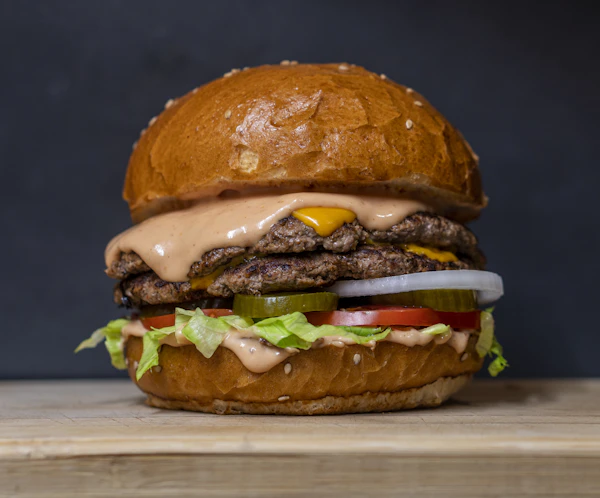
Customers order from a QR code and collect when ready — more orders handled with less front-counter friction.

The same statuses, menu structure, and reporting across branches — easier to train, monitor, and scale.

Guests order for pickup, room delivery, or poolside collection from location-specific menus, managed in one system.
View pickup, takeaway, and delivery orders in one workflow with clear status, timing, customer details, and handoff notes.
Pickup times, scheduled orders, and preparation status help your kitchen avoid making food too early or too late.
Send off-premise orders to the kitchen and show ready status to counter staff for faster handoff.
Track whether an order is waiting, packed, picked up, handed to courier, or completed — so the counter never doubles up or loses an order.
Use your own ordering link, QR code, and campaigns — and set the delivery zones where direct delivery makes sense.
Track which channels drive revenue, when demand peaks, and which items sell best for takeaway and delivery.
Accept pickup, takeaway & delivery from your own ordering page.
Let guests browse your menu before placing off-premise orders.
Send delivery and takeaway orders directly to the kitchen.
Bring external marketplace orders into one tablet and workflow.
Connect courier workflows for direct delivery where supported.
Turn one-time pickup and delivery customers into repeat guests.
Reward repeat customers for direct pickup, takeaway & delivery.
Track off-premise revenue, volume, peak times & behavior.
Accept pickup, takeaway & delivery from your own ordering page.
Let guests browse your menu before placing off-premise orders.
Send delivery and takeaway orders directly to the kitchen.
Bring external marketplace orders into one tablet and workflow.
Connect courier workflows for direct delivery where supported.
Turn one-time pickup and delivery customers into repeat guests.
Reward repeat customers for direct pickup, takeaway & delivery.
Track off-premise revenue, volume, peak times & behavior.
Available for restaurants using TableMind Direct Ordering and Kitchen Display workflows.
Essential tools for operations.
Growth and online features.
Enterprise automation.
Custom pricing
A TableMind workflow for managing pickup, takeaway, and delivery orders from one connected system.
Yes. Guests can place pickup orders through your digital menu, ordering page, website, or shared link where enabled.
Yes. Takeaway orders can be accepted and managed through the same workflow.
Yes. Delivery can be supported depending on your setup, delivery rules, courier workflow, and payment configuration.
Yes. Pickup, takeaway, and delivery orders can flow into the Kitchen Display System.
Yes. Orders move through statuses such as New, Preparing, Ready, Picked Up, and Completed.
Pickup time or scheduled orders can be supported where enabled.
Courier integrations can be supported depending on market availability and the final TableMind integration setup.
It doesn't need to. It gives your restaurant a direct channel for pickup, takeaway, and delivery, while future marketplace integrations can centralize external orders.
Yes. Delivery and takeaway orders can connect with CRM and loyalty workflows where enabled.
Yes. Analytics can help compare pickup, takeaway, delivery, direct orders, and future marketplace channels.
Yes. Start with simple pickup and takeaway, then add delivery, marketing, loyalty, and integrations as you grow.
Give your team one connected workflow for orders that leave the restaurant.